
666H Account Verification is an account-checking process that may appear when a user is setting up profile details, linking a payment method, or requesting certain account actions. This guide explains how the process works, what information should match, and what to do if a request does not move forward. Exact requirements can change, so users should follow the instructions currently shown inside their account instead of relying on old screenshots or unofficial messages.
What Is 666H Account Verification?
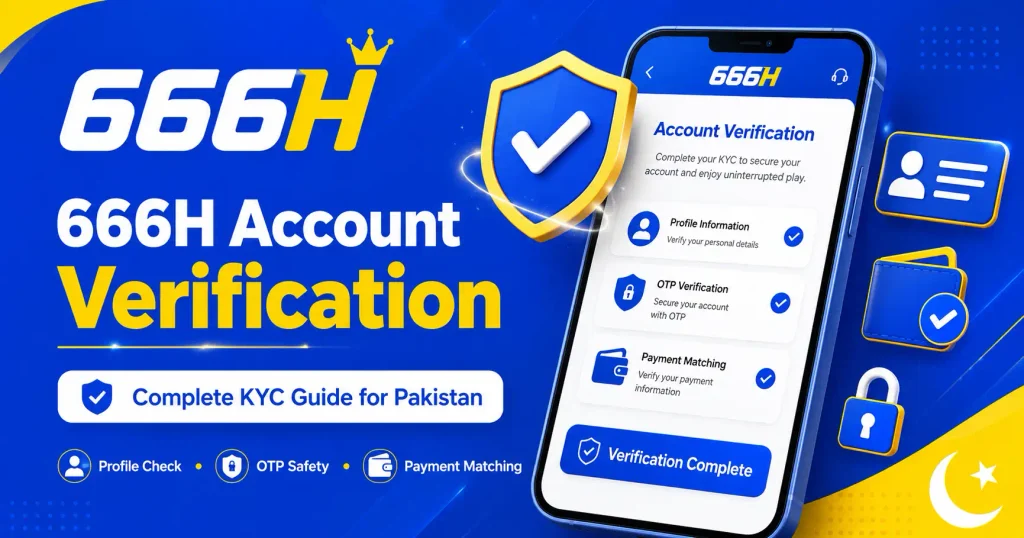
666H Account Verification is a security check used to confirm that account information belongs to the person using it. Verification may involve confirming a mobile number, checking profile details, or reviewing payment information. Some users may only see a simple code-based check, while others may be asked for extra information.
Users coming from 666H Game should keep registration details accurate. A mistake in a name, mobile number, or wallet detail can create confusion later.
Why Account Details Need to Match
666H Account Verification can become easier when registration details match the information later used for account recovery, payment setup, or withdrawals.
Check these points before submitting anything:
- Use your active mobile number.
- Enter your name consistently where requested.
- Recheck wallet or payment details before saving them.
- Avoid creating duplicate profiles.
- Keep transaction references when needed.
- Never give anyone your password, OTP, wallet PIN, or recovery code.
Users who access 666 H from another device should make sure they sign in to the same registered account.
Information That May Be Checked
Users can prepare by reviewing basic information already connected with their profile.
| Item | What to Check | Reason It Is Important |
|---|---|---|
| Mobile number | Correct and active | Codes or notices may be sent here |
| Profile name | Entered without mistakes | Keeps records consistent |
| Payment details | Correct wallet or account information | Reduces transaction mismatches |
| Login details | Current and private | Helps protect account access |
| Requested proof | Only what account screen asks for | Avoids unnecessary sharing |
Never send sensitive information to unknown people on social platforms because they claim to help with verification.
How to Complete 666H Account Verification
If a verification notice appears, use a careful step-by-step approach.
- Open your normal account website or application.
- Go to profile, account, wallet, or security settings.
- Look for a verification notice or incomplete field.
- Read every requested item before entering information.
- Enter details exactly as requested.
- Submit only information that the current screen requires.
- Recheck spelling, numbers, and payment details.
- Submit the request and wait for the status to update.
If you installed 666H APK, confirm that you are using the intended version before entering private account information. Unknown or modified APK files can create security risks.
Mobile Number and OTP Checks
During 666H Account Verification, enter a code only on the verification screen that requested it. An OTP is temporary and private, so it should never be sent to another person who claims they can complete verification for you.
If a code does not arrive, check your signal and number, then request another code only if that option appears.
Payment Account Matching
Before submitting a withdrawal or changing a wallet, check:
- account holder details where applicable;
- mobile wallet number;
- entered withdrawal amount;
- saved payment method;
- transaction reference if requested.
Users opening 666H App should rely on the current wallet screen because payment fields, limits, or available methods can change over time.
The verification process may require users to review whether payment details match information saved in their account. If you use JazzCash or Easypaisa, make sure the mobile wallet number and account details entered in your profile are correct before requesting a withdrawal.
How to Resolve Verification Issues?
If 666H Account Verification is not completing, start with basic checks instead of repeatedly changing your profile.
Confirm your internet connection, reopen the account, and check for typing mistakes or missing fields. If an uploaded file was requested, make sure it is readable and follows the format shown on screen. Avoid sending multiple versions unless the system asks you to try again.
Users arriving through 666H Download should also check whether they are using a current, trusted installation rather than an outdated copy that may not display account features correctly.
Common Verification Problems and Fixes
| Problem | Practical Check |
|---|---|
| OTP not received | Recheck mobile number and network signal |
| Details do not match | Compare profile and payment information |
| Verification remains pending | Avoid duplicate submissions and check notices |
| Upload rejected | Review file clarity, type, and requested details |
| Account access problem | Use recovery options or official support |
| Unknown person asks for OTP | Do not share it |
666H Account Verification is easier to manage when users fix one possible issue at a time instead of changing several account details together.
Security Tips During Verification
Verification involves private account information, so security matters. Complete the process only through the account interface or another support route clearly identified by the platform.
Remember these rules:
- Never share your full password.
- Never disclose a wallet PIN.
- Keep OTP codes private.
- Do not install screen-sharing apps for unknown support agents.
- Avoid sending personal documents through unofficial chat accounts.
- Check the website address before entering private information.
- Log out on shared devices.
Can Verification Affect Withdrawals?
If 666H Account Verification appears around a withdrawal request, read the exact notice shown on your account and complete only the requested steps.
Do not assume every delay is caused by verification. Incorrect wallet details, connection problems, payment processing, or account review may also affect a transaction.
Final Thoughts
666H Account Verification is mainly about keeping account, contact, and payment information consistent while protecting private details. Users should follow current on-screen instructions, check every field carefully, and avoid giving passwords, OTPs, or payment PINs to anyone.
A careful approach can reduce avoidable mistakes and make account management simpler. If a request is unclear, use the support option shown within the platform and ask what specific information is required before sharing anything sensitive.