
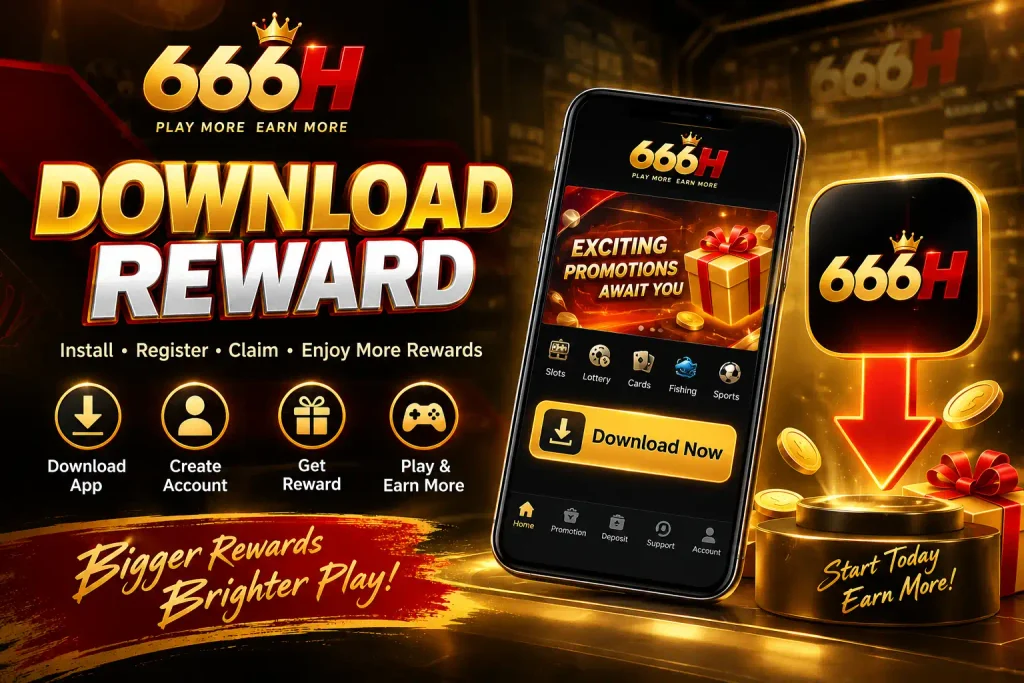
666H Download Reward gives new users a simple way to start with extra promotional value after installing the app and completing the required account steps. Instead of beginning with an empty reward section, users can check the current download offer, finish the listed actions, and see whether a reward has been added to their account.
For Pakistani mobile users, 666H.com makes the process easy to follow from one account. Installation, registration, promotions, wallet tools, and reward history sit close together, so users can move from downloading the app to checking their first promotional benefit without unnecessary steps.
What Is 666H Download Reward?
666H Download Reward is a promotional offer connected with installing the app and completing the actions shown in the current campaign. The reward can be linked to first-time installation, account setup, registration, or another task displayed inside the promotion area.
The useful part is that users can see the offer before completing the process. This makes it easier to understand what needs to be done and where the reward should appear after the required steps are finished.
How the Download Reward Process Works
A clear sequence keeps the promotion easy to follow:
- Open the official download page.
- Download the latest app file for your device.
- Install the app and open it.
- Create or access your account.
- Complete the setup steps shown on screen.
- Open Promotions, Rewards, or a similar section.
- Check the download reward status.
- Claim the reward once it appears as completed.
666H Game users should follow the current in-app instructions because campaign values and task requirements can change with updates.
Why This Promotion Appeals to New Users
666H Download Reward can make the first app experience feel more rewarding because users receive a clear promotional target from the beginning. Rather than searching through several unrelated offers, a first-time user can focus on one task, complete it, and then move to the next available promotion.
It also creates a natural introduction to the rewards area. Once users understand how one claim works, it becomes easier to follow daily missions, share rewards, VIP progress, cashback offers, and other promotional sections later.
Download Reward vs Welcome Reward
These two promotions can appear close together, but they do not always represent the same activity.
| Promotion Type | Main Focus | Typical User Action |
|---|---|---|
| Download Reward | Installing and opening the app | Complete the app-related task |
| Welcome Reward | Starting a new account | Finish the joining or account setup steps |
| Mission Reward | Completing a listed activity | Follow the task shown in the mission area |
| Cashback Reward | Weekly or campaign activity | Check the reward after the cycle ends |
666H Download Reward is therefore best treated as its own promotional path instead of mixing every new-user offer into one category.
How to Check Whether the Reward Has Been Added
After completing the installation and account steps, open the reward area and look for a completed status, claim button, balance update, or reward-history entry. If the offer uses a progress bar, make sure every required action has been marked as complete.
For 666H Download Reward, saving a screenshot of the completed task can be useful until the reward appears in the account. This gives users a simple record of what was completed and when.
Android Installation and Safe App Setup
Android users may need to allow installation from the browser or file manager they used to download the APK. The permission should only be given to the specific source being used, and users can switch it off again after installation.
For an outbound reference, this section is a good place to link to Google’s official Android Help page about installing apps and managing permissions. 666H Game Download users can follow those general Android instructions while using the current download file supplied by the platform.
What to Do If the Reward Does Not Appear
Sometimes a completed task may take time to update in the rewards area. Start by reopening the app, checking the current campaign screen, and confirming that all listed steps show as complete.
If the download reward still does not appear, avoid repeating the whole installation process immediately. Check the reward history first, then review the account status and current promotion details before contacting support.
Tips to Get Better Value From Download Promotions
A little organisation makes first-time promotions easier to manage.
- Read the full offer before installing.
- Use the same account throughout the process.
- Keep the latest app version installed.
- Check the reward section after completing each step.
- Save screenshots of completed tasks.
- Claim finished rewards before starting another promotion.
- Keep login details private.
- Return to the rewards area after each task to confirm that your progress has updated.
666 H keeps multiple promotional areas in one account, so users can move from the download offer to other earning-focused campaigns after completing the first reward.
FAQs
Where can I find 666H Download Reward after installation?
Open the Promotions, Rewards, or account-benefits section and look for the download-related task. A completed offer normally shows a claim option, status update, or reward entry.
Can 666H Download Reward be combined with other promotions?
Different promotions can appear in the same account, but each one should be followed separately. Check the conditions shown for the download offer before moving to another campaign.
Does reinstalling the app create another download reward?
A download promotion is generally connected with the account and campaign rules rather than repeated installations. Reinstalling the app should not be treated as a way to create extra claims.
Can JazzCash or Easypaisa be used after earning a reward?
JazzCash and Easypaisa can be used for supported account transactions shown inside the wallet section. Keep transaction references separate from promotional reward history so both are easier to track.
What should I do if 666H Download Reward remains incomplete?
Recheck the task list, account status, and reward screen to see which action is still missing. If everything appears complete, keep a screenshot and use the support option available inside the account.
Conclusion
666H Download Reward gives new users a direct promotional starting point by connecting app installation with a clear earning-focused task. The process is easy to understand: install the app, complete the listed steps, check progress, and claim the reward once the account confirms completion.
For users who enjoy promotional earning features, 666H Download Reward can be the first step into a wider rewards system that includes missions, cashback, sharing tasks, and loyalty progress. This App keeps those tools together in one mobile account, making it easier to move from the first download offer to future promotional opportunities.