
666H Recharge Bonus gives users a practical way to receive extra promotional value when they add money to their account. Instead of treating every recharge as a routine payment, players can check the current offer first, choose the amount connected with it, and then collect the reward shown for that campaign. For Pakistani users who enjoy earning-focused features, this can make normal account funding feel more rewarding.
666H keeps recharge activity, promotions, and reward history close together, so users can quickly see what they paid, what extra value was added, and whether a claim is still waiting. The process is easiest when one offer is followed at a time.
What Makes 666H Recharge Bonus Useful for Regular Users?
666H Login recharge feature is designed around account funding during an active promotion. A campaign can connect a recharge amount with extra bonus value, reward points, or another promotional benefit displayed inside the app.
The main attraction is convenience. Users who already plan to add balance can first check the promotion area and see whether that same activity can unlock something extra. This keeps the reward connected with normal account use rather than forcing users to complete an unrelated task.
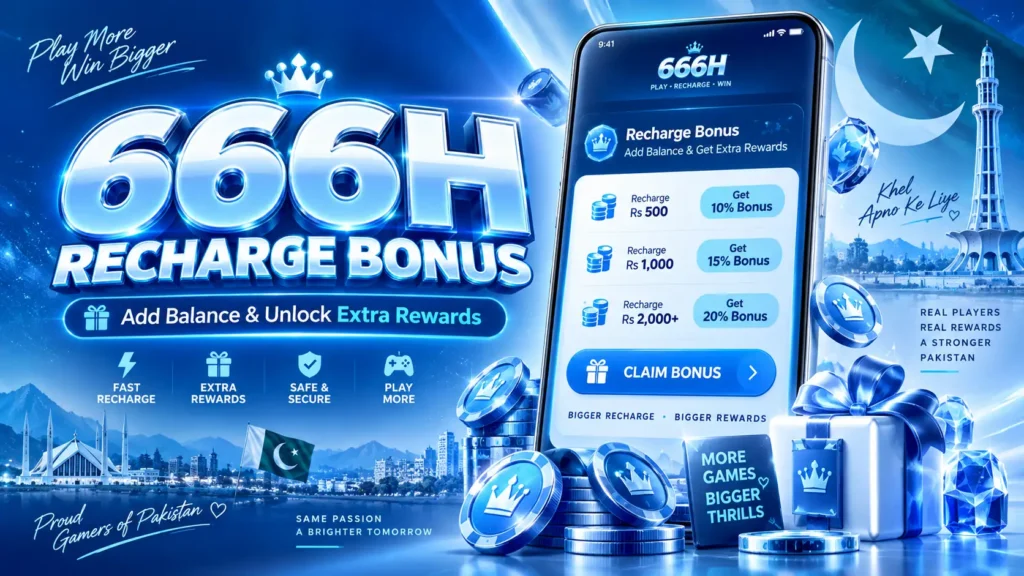
How to Claim 666H Recharge Bonus Without Confusion
Claiming the reward is simple when the steps are followed in order:
- Log in to your account.
- Open the Recharge or Deposit section.
- Check the active promotional card.
- Select the amount linked with the offer.
- Complete the payment.
- Return to Rewards or Promotions.
- Check whether the reward was added automatically.
- Tap Claim when a manual claim button appears.
After completing the recharge, wait for the first transaction to update before trying again. Keeping the payment reference makes it easier to check the status later.
Where to Find Recharge Offers and Reward Status
The current recharge promotion may appear in the Recharge, Rewards, Events, or Promotions section. Users should follow the offer visible inside their own account because campaign layouts and reward amounts can change.
666H Download users can check the updated balance or reward history after payment. This helps separate the amount added to the wallet from the extra promotional value credited afterward.
Before recharging, it is useful to compare the campaign card with the amount you already planned to add. This keeps the promotion easy to understand and helps users avoid mixing one recharge campaign with another offer running at the same time.
666H Recharge Bonus vs Welcome Rewards
666H APK focuses on funding an account that is already active, while a welcome reward is usually connected with joining or first-time activity. Both can add extra value, but they serve different stages of the user journey.
| Recharge Reward | Welcome Reward |
|---|---|
| Connected with adding balance | Connected with a new account |
| Can appear in later campaigns | Usually appears near the beginning |
| Tracked through recharge activity | Tracked through joining activity |
| Can return with new promotions | Often linked with initial account setup |
For regular 666H users, recharge campaigns can remain useful after the first joining offers have already been completed.
How to Track 666H App Correctly
The recharge reward is easier to manage when payment records and reward records are kept separate. The transaction ID confirms that the recharge was completed, while the reward history shows whether the promotional credit was added.
A simple routine helps:
- Check the offer before paying.
- Save the transaction reference.
- Review the reward section after payment.
- Confirm the credited value.
- Keep a screenshot of a larger reward.
- Avoid starting several recharge offers together.
JazzCash and Easypaisa can be used when they appear in the payment section, while recharge rewards should be checked separately inside the account balance or promotion history.
Common Recharge Reward Issues and Quick Checks
A recharge may appear in the wallet before the promotional value shows in the rewards area. In that situation, first reopen the current offer and confirm that the payment amount matches the campaign shown.
If 666H Recharge Bonus is still missing, review the payment status and recent reward history before doing anything else. A screenshot of the promotion and the transaction reference can also make support communication clearer.
FAQs
How can I collect 666H Recharge Bonus?
Complete the recharge shown in the active offer, then return to the reward section and use the claim option when it appears.
Is 666H Recharge Bonus different from a welcome reward?
Yes. Recharge offers focus on adding balance to an active account, while welcome rewards are usually linked with first-time account activity.
Where can I check 666H Recharge Bonus after payment?
Open Rewards, Promotions, or account history and look for the latest credited value connected with your recharge.
Can another recharge offer appear later?
Yes. New campaigns can appear during future promotional periods, so checking the rewards area can help users spot fresh offers.
What should I do when a recharge reward does not appear?
Confirm the payment, review the current campaign details, and check recent reward history before contacting support.
Conclusion
666H Recharge Bonus gives users a simple way to add more promotional value to normal account funding. The best routine is to check the active offer before paying, complete only the intended recharge, and then confirm the reward from the same account.
For users who enjoy earning-focused promotions, this feature can become a useful part of the wider rewards system. 666H keeps the process organised by bringing payments, promotions, and reward history into one account experience, making it easier to notice new offers and collect completed rewards on time.